How ToML40

ML40 · LIGHT UP THE MEDIA LAB

Start with art.
Make it glow.

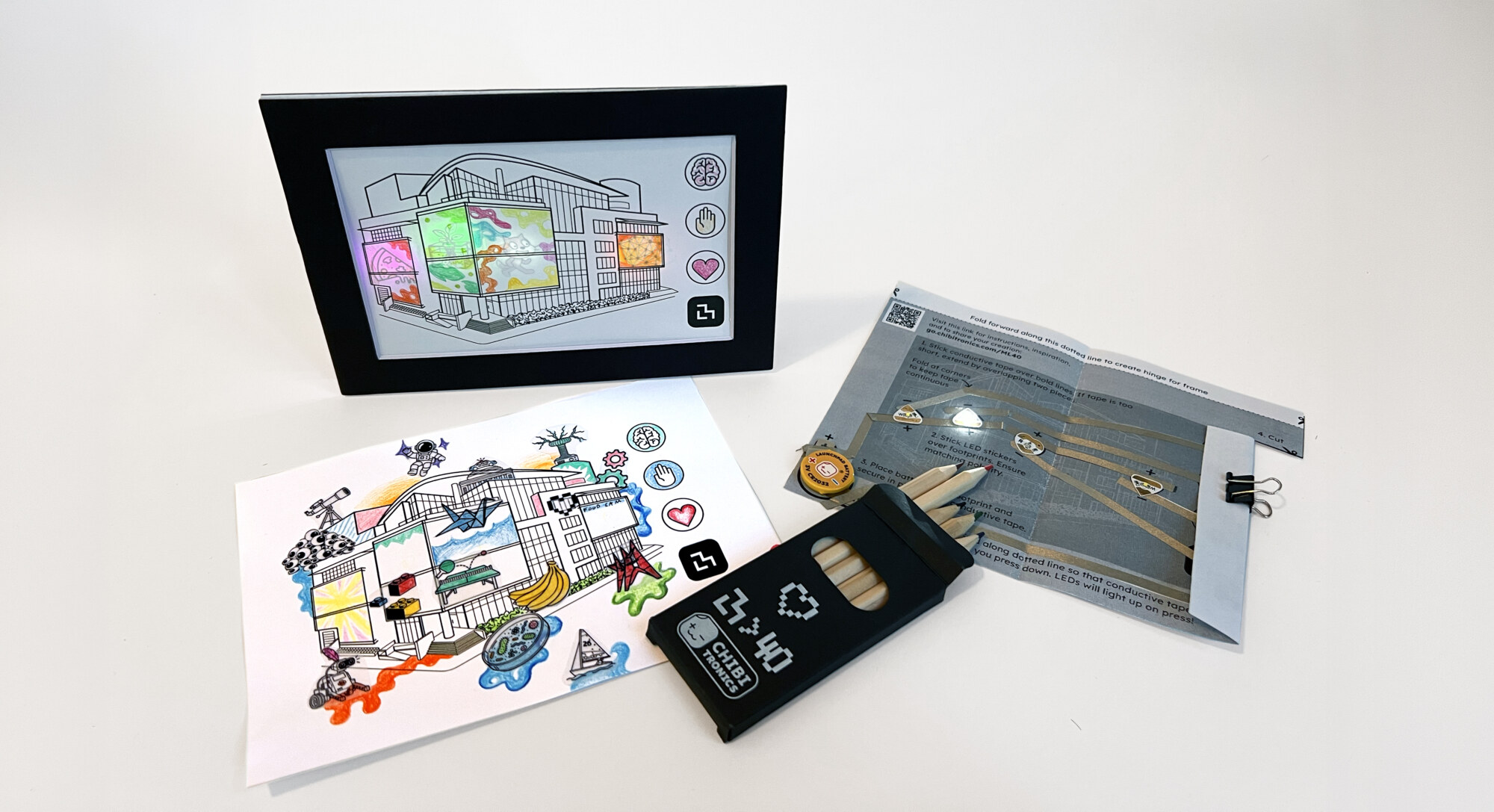
Celebrate 40 years of imagination, invention, and discovery at the MIT Media Lab. Color, collage, and illuminate your own version of the Lab with Chibitronics.

01 / BUILD YOUR ML40 KIT

Big ideas start small.

Kit tutorial

A paper circuit, four lights, and your version of the Media Lab.

Before you begin Inside your kit & safety

Your circuit

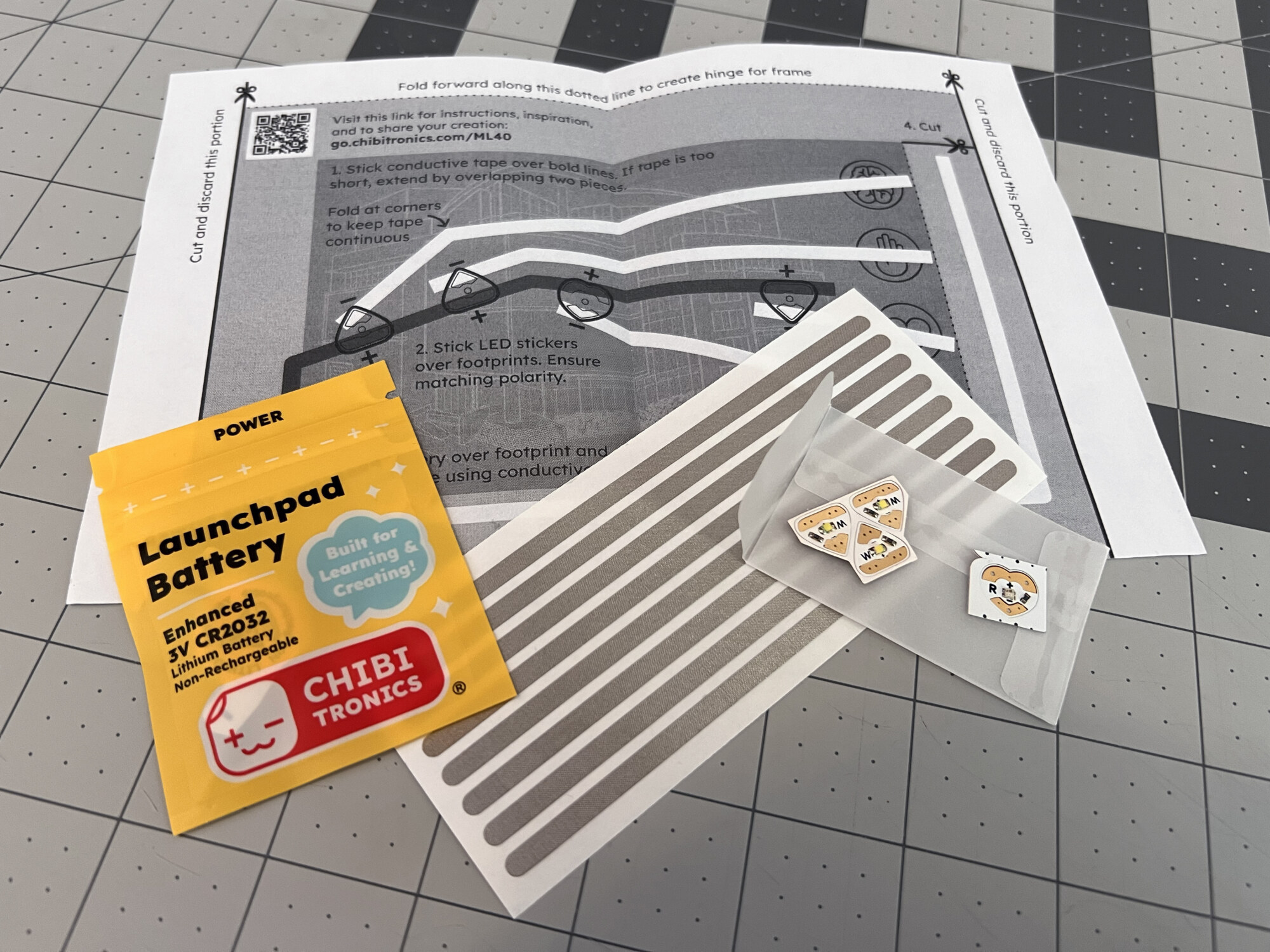
  • 1 Launchpad battery in a yellow pouch
  • 4 Chibitronics LED stickers: 3 regular and 1 animating
  • Conductive fabric tape strips
  • A printed circuit template

Your artwork

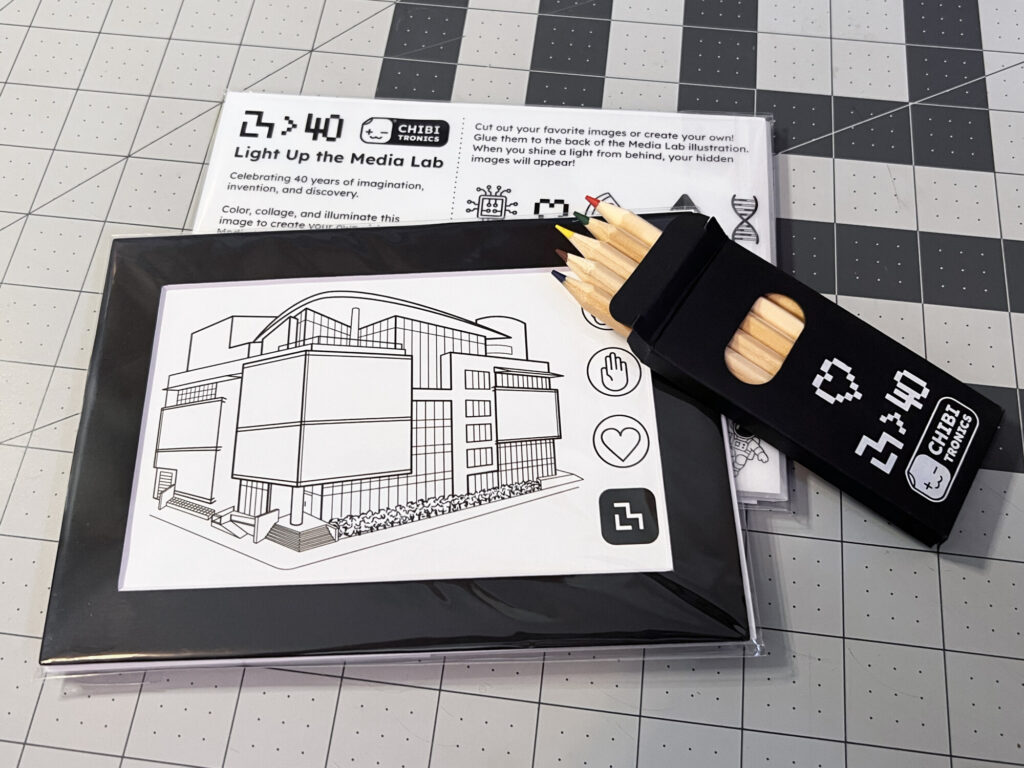
  • A drawing of the MIT Media Lab
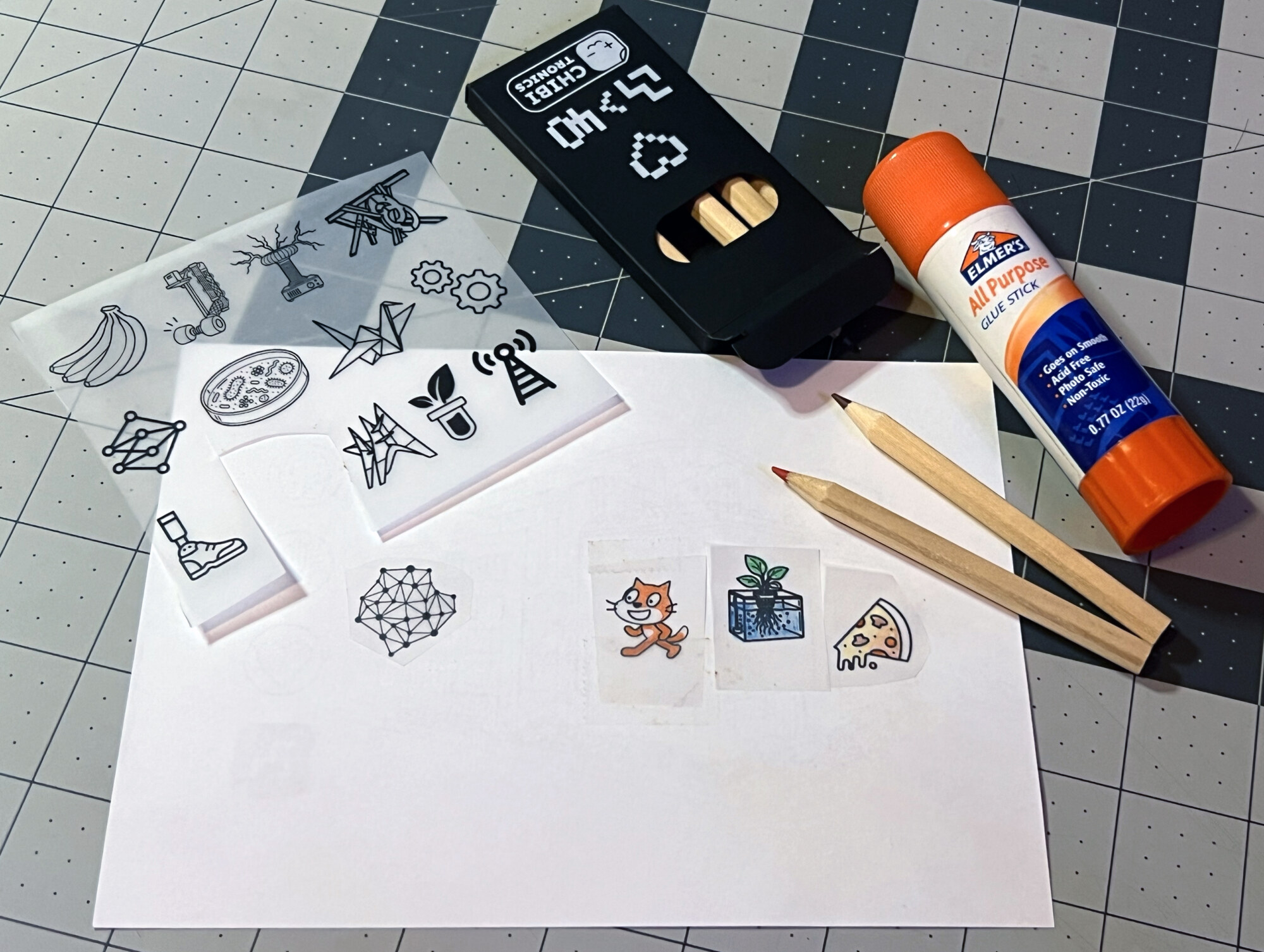
  • Translucent paper with printed images
  • Colored pencils
  • A black picture frame and white backing board
  • An adhesive foldable picture stand

Have scissors and glue ready, too.

Make safely: keep batteries secured and away from young children and pets. Never connect the battery’s positive and negative sides directly with tape. Follow the Chibitronics safety guidelines.

Media Lab drawing, translucent artwork, colored pencils, frame, backing board, and picture stand

8 stepsStart with steps 1–3. Keep going when you’re ready.

01Prepare your template

Launchpad battery, four LED stickers, conductive tape strips, and the ML40 circuit template
ML40 / PAPER CIRCUITS

STEP 01 / 08

Gather your Launchpad battery, four LED stickers, conductive fabric tape, and the printed circuit template. Make the cuts and folds marked on the template, then follow its numbered directions.

Keep the top hinge and the switch flap attached. You will use both as you finish the picture.

02Lay the conductive paths

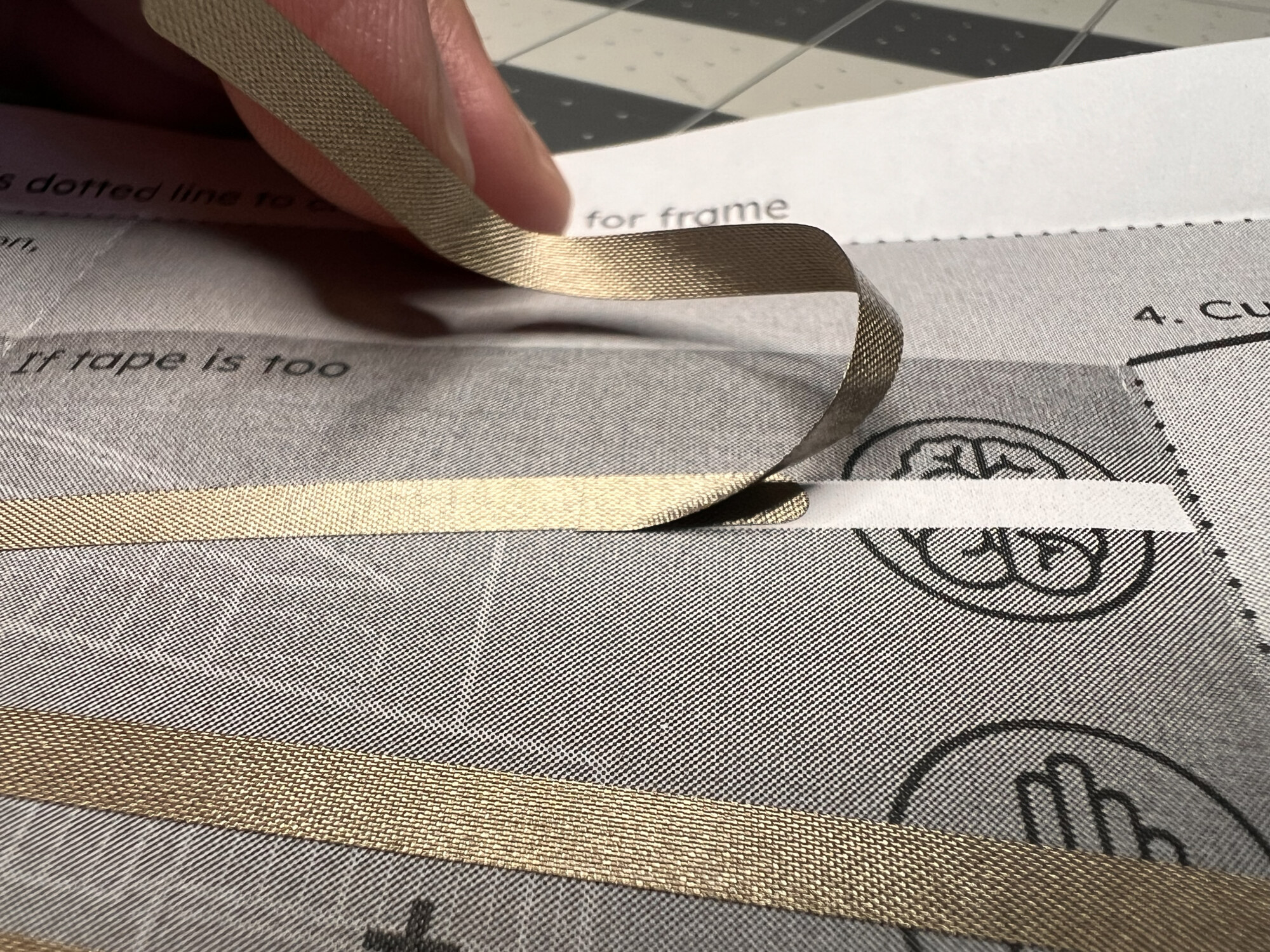
Overlapping two pieces of conductive fabric tape on the ML40 template
ML40 / PAPER CIRCUITS

STEP 02 / 08

Stick conductive fabric tape along the bold traces. Fold the tape around corners to keep each path continuous. If one strip is too short, overlap it with the next piece and smooth the join down firmly.

Save your leftover tape. Small pieces are useful for reinforcing the LED and battery connections.

03Add the LEDs and battery

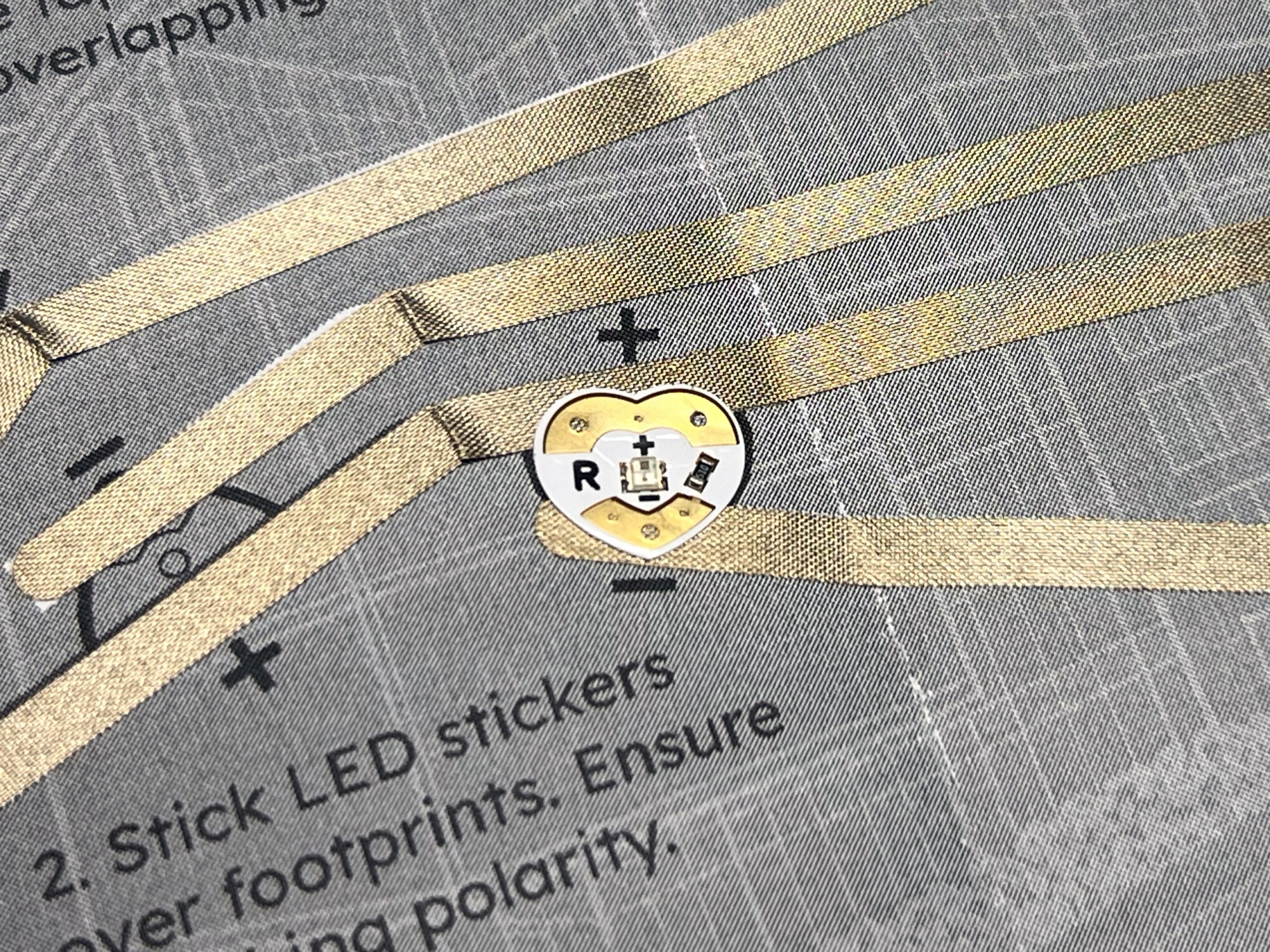
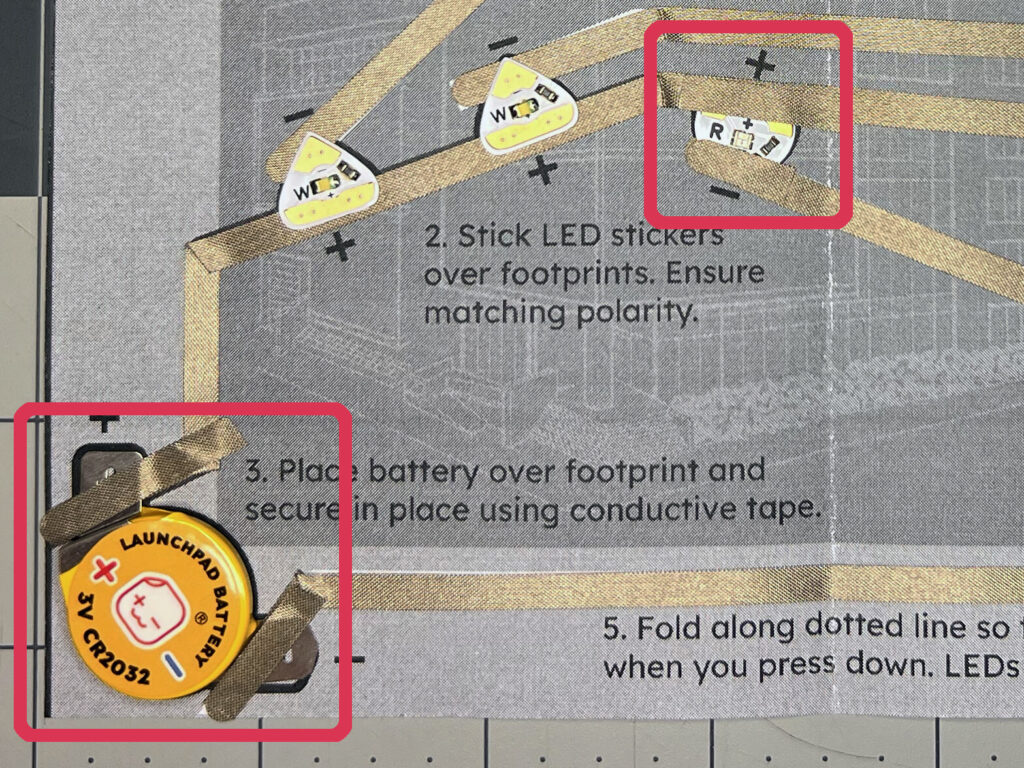
An LED sticker aligned with the positive and negative traces
ML40 / PAPER CIRCUITS

STEP 03 / 08

Place each LED on its footprint, matching the positive (+) and negative (−) contacts to the template. The wider positive side connects to a positive trace; the narrower end connects to a negative trace. Secure the Launchpad battery on its footprint with conductive tape.

Press each contact firmly. Use leftover tape to reinforce the connections without joining the positive and negative paths.

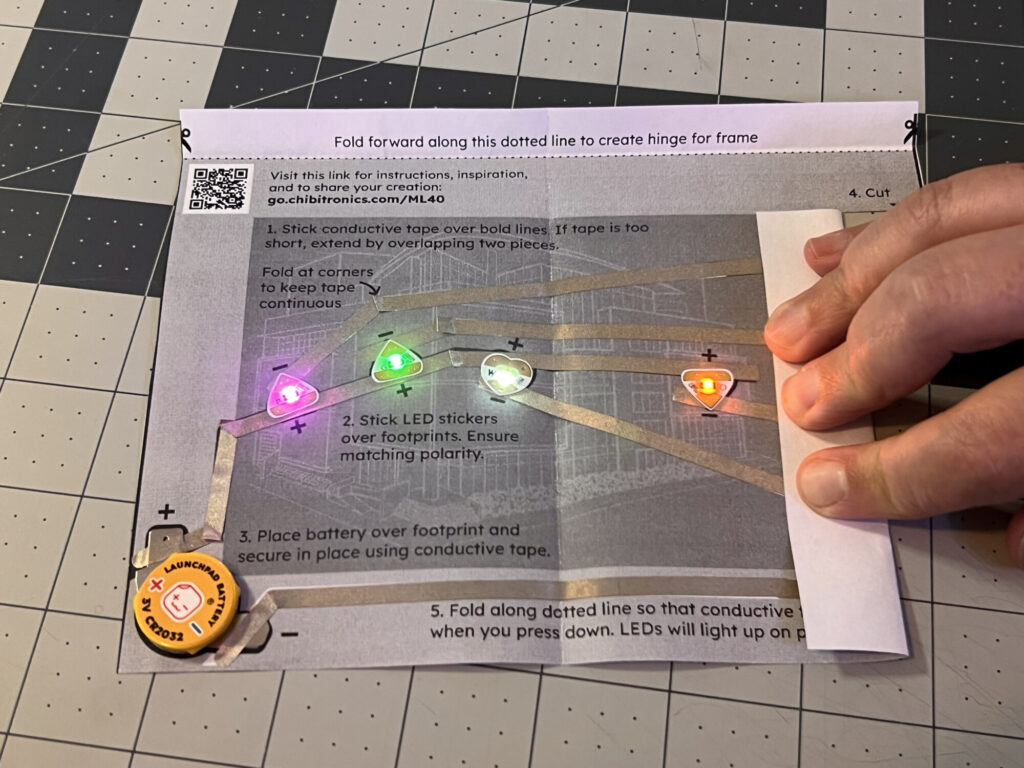
See the assembled circuit

04Test the lights and mount the circuit

Pressing the folded switch flap to turn on different LEDs
ML40 / PAPER CIRCUITS

STEP 04 / 08

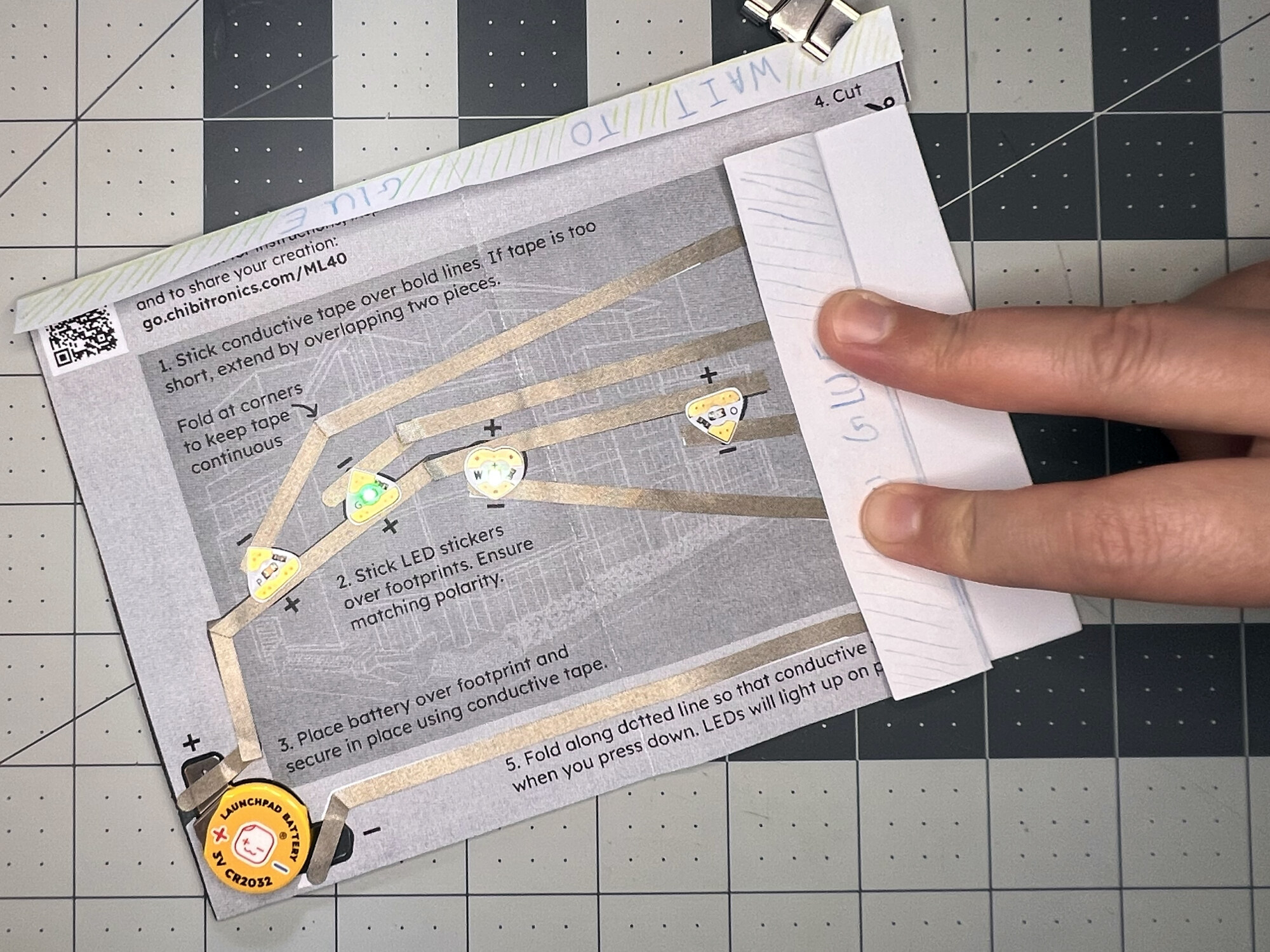
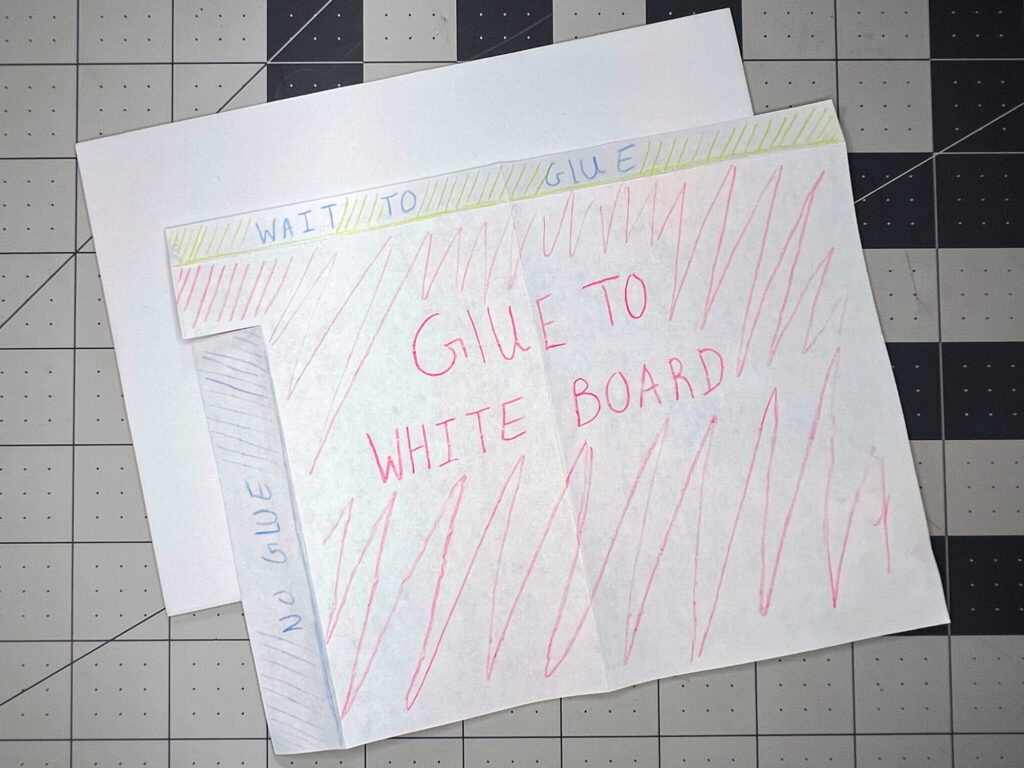
Fold the switch flap over and run your fingers from top to bottom. Different lights should turn on as you move. Once the circuit works, glue the back of its main panel to the white backing board so it stays still while you align the artwork.

Leave the switch flap and the top frame-hinge flap free of glue.

See where to apply glue

05Plan your hidden images

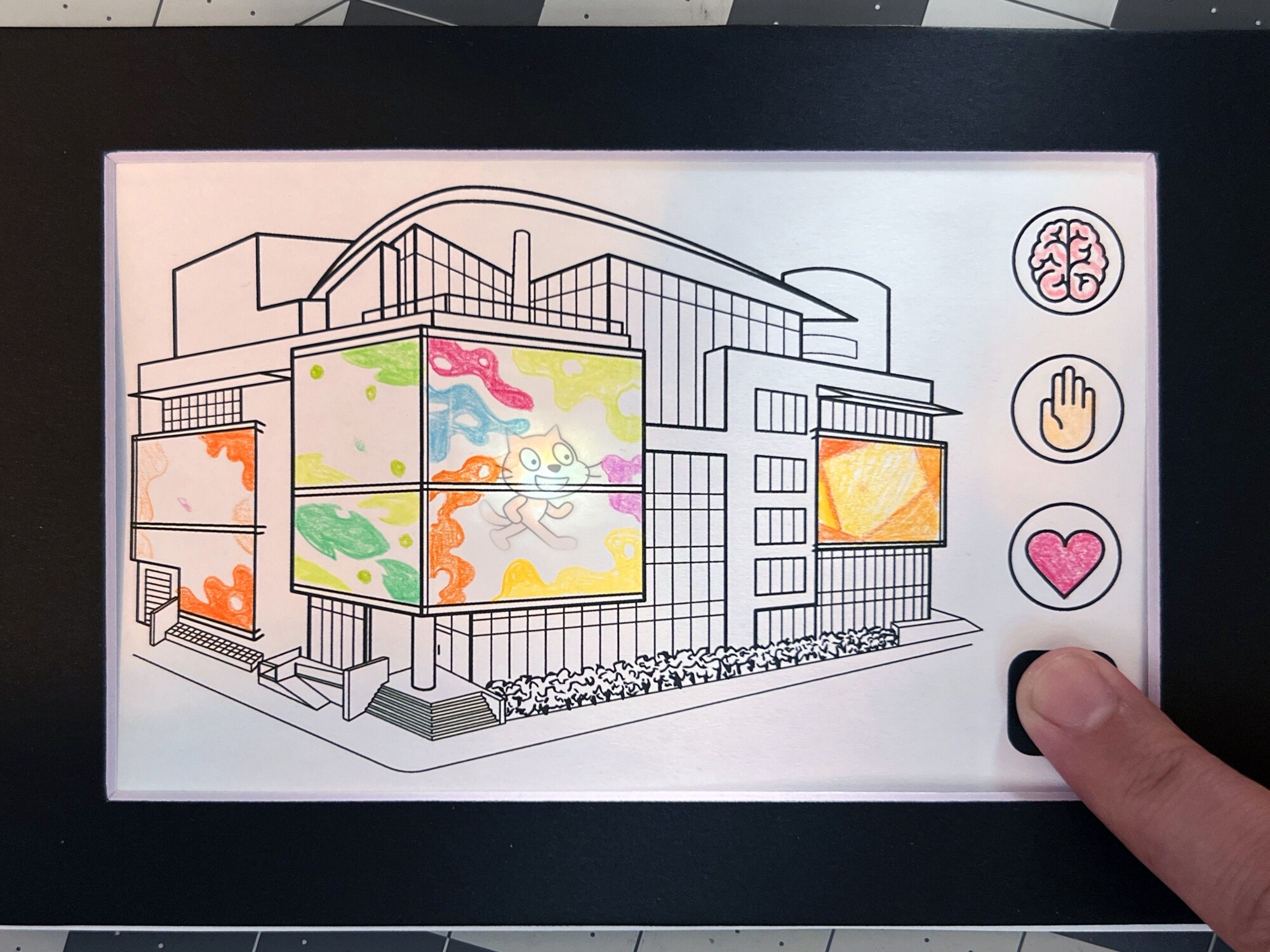
A hidden Scratch cat revealed by light behind the Media Lab drawing
ML40 / PAPER CIRCUITS

STEP 05 / 08

Place the Media Lab drawing over the circuit with the switch flap folded. Press the mind, hand, heart, and Media Lab icons to find the lights. Light the artwork from behind and make a small pencil mark above each LED. Hold the drawing up to the light to transfer those marks to the back.

Use these marks to position secret images that will appear when each LED lights up.

06Color, collage, and make it yours

Colored pencils, translucent pictures, and cut-out artwork for the ML40 project
ML40 / PAPER CIRCUITS

STEP 06 / 08

Draw directly on the paper, or color and cut out the supplied translucent images. Glue your hidden images to the back of the Media Lab drawing, lining them up with the pencil marks. Add color, collage, and your own ideas to both sides.

Check where the frame will cover the drawing before placing your favorite details.

07Attach the frame

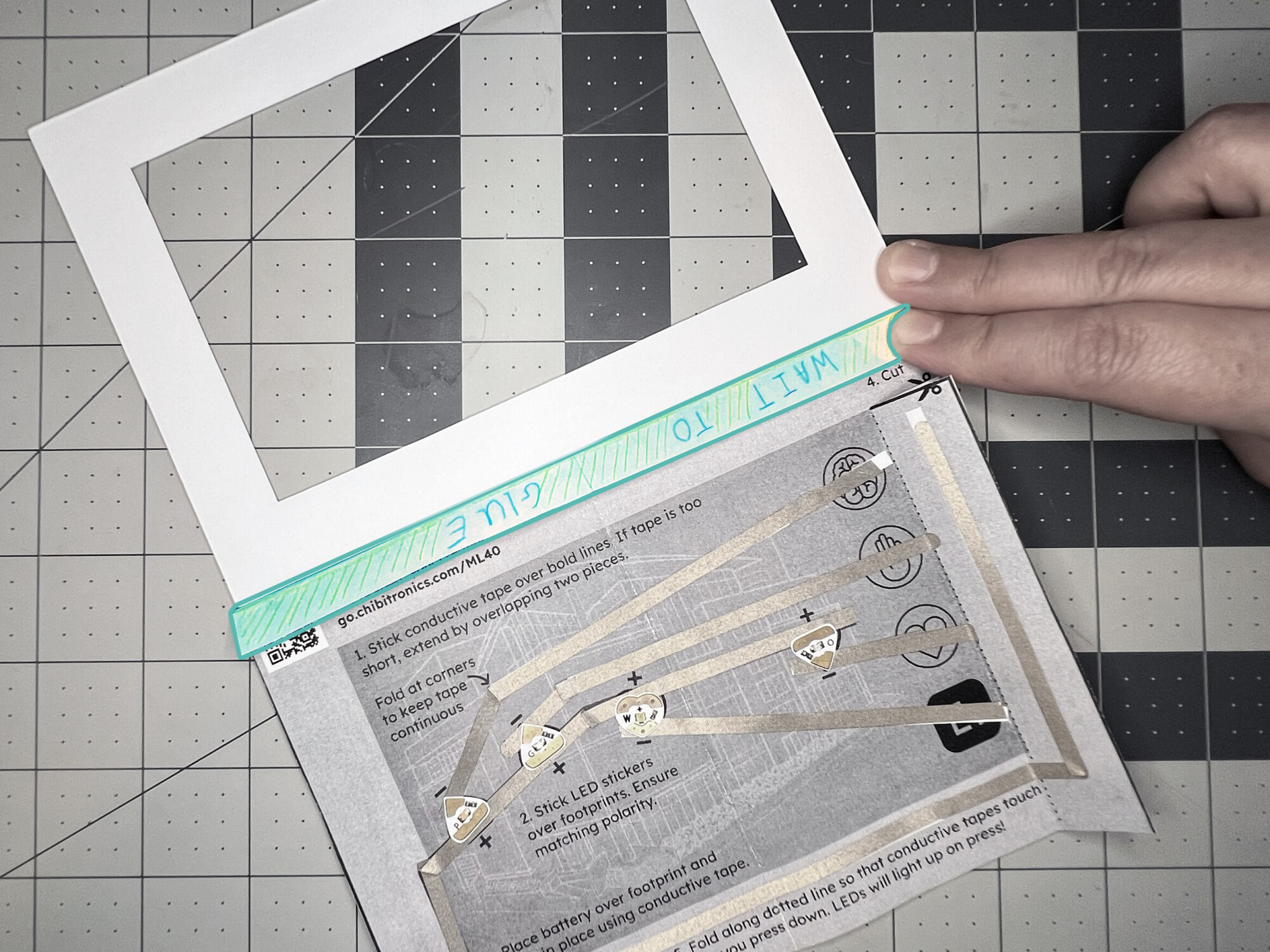
Gluing the white back of the picture frame to the top hinge
ML40 / PAPER CIRCUITS

STEP 07 / 08

Fold the top tab so the printed hinge instructions face down. Apply glue to the opposite side, then attach the white side of the black frame to that flap. Reinforce the hinge with tape if needed. Once your artwork is finished, glue the Media Lab illustration around the edges of the frame.

Before the glue sets, check that the picture is aligned and you can still press the switches to light the artwork.

08Add the stand and light it up

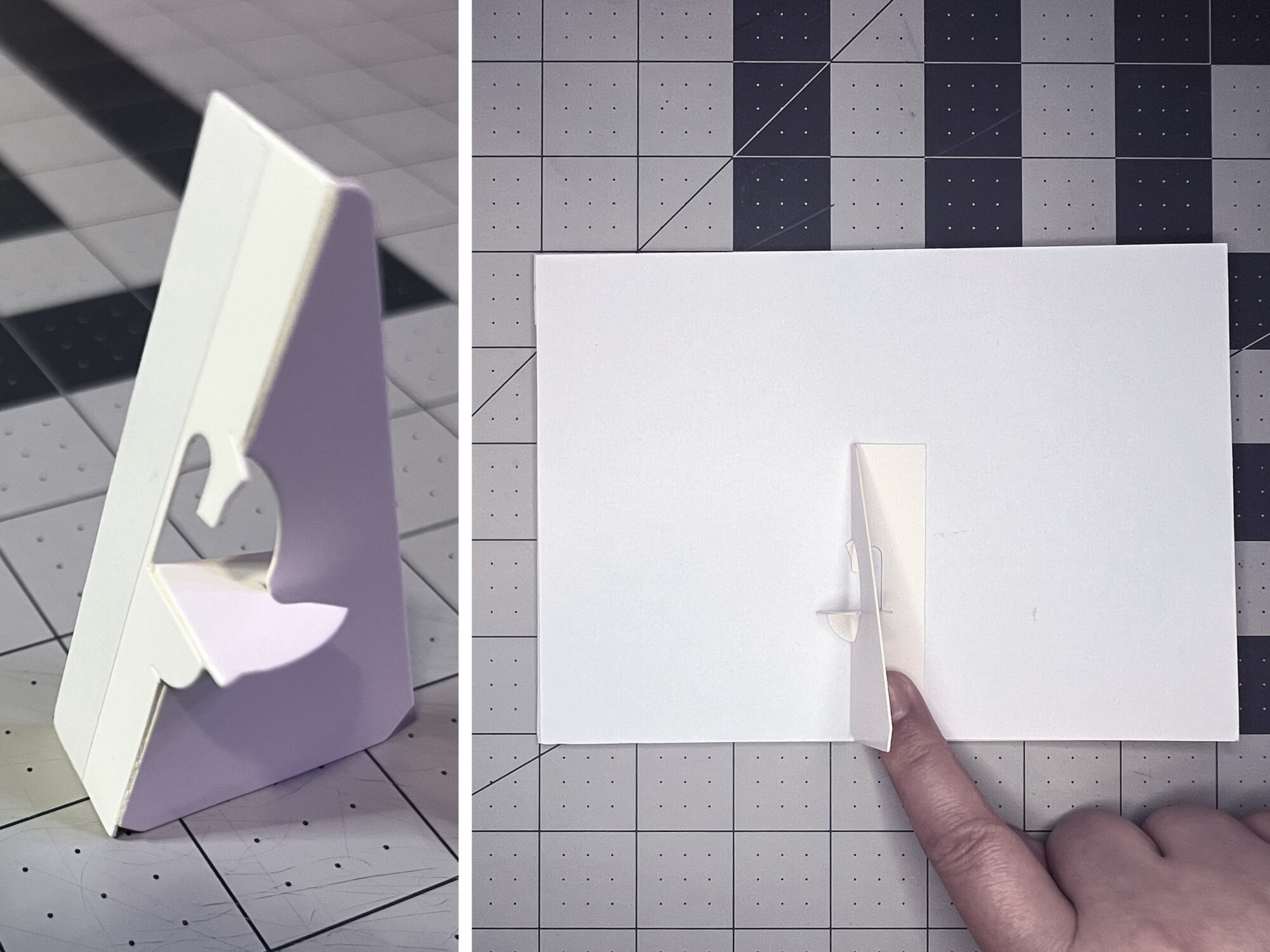
An adhesive triangular picture stand attached to the white backing board
ML40 / PAPER CIRCUITS

STEP 08 / 08

Peel the backing from the adhesive picture stand. Position it on the back of the white board with the triangular point facing up, then press it into place. Stand up your picture, try each light, and keep adding to your artwork.

Finished? Share a photo in the gallery so others can see what you made.

Lights not turning on? Check your connections
  • The negative (−) battery trace must continue onto the switch flap and touch each LED’s negative trace when pressed.
  • Check that every LED’s positive (+) contact connects to a positive trace leading back to the battery.
  • Press down any overlapping tape and reinforce loose LED or battery contacts.
Conductive tape reinforcing the LED and Launchpad battery contacts

A little stuck? Let’s troubleshoot together

03 / SHARE YOUR WORK

Made something?
Add it to the gallery.

Finished work and half-baked experiments both belong here. Add up to five photos, a video, and a short note if you want.

Used only for questions about your submission, not newsletter signup.

Reviewed before
appearing publicly.

04 / CIRCUIT SKETCHER

Your next idea
starts here.

Want to draft the circuit before you commit copper to paper? Circuit Sketcher is the digital scratchpad for that.

Make more & remix Opens Circuit Sketcher

05 / CONTACT

Questions? Ideas?
Let’s talk.

Stuck on a connection, or want to swap notes on what you built? Email works.

sketcher@chibitronics.com

A little inspiration in your inbox.

New projects, paper-circuit ideas, and news from Chibitronics.

Sign up for the newsletter
Paper · copper · lightBack to the top ↑
Scroll to top