
Your First Paper Circuit: Launchpad LED
This card will get you started with all the tools, materials, and concepts you need to make paper circuits!
You’ll need a template printout, one Launchpad LED, Conductive Fabric Tape, a Launchpad Battery, two micro binder clips, scissors, and art supplies of your choice.

Circuit
We will use the Conductive Fabric Tape to connect a Launchpad Battery to the Launchpad LED in a loop.

The positive “+” pad of the Launchpad LED needs to connect to the “+” side of the Launchpad Battery and the negative “-” pad of the LED needs to connect to the “-” side of the battery.
This continuous loop will form a complete circuit, lighting up your LED!
Materials
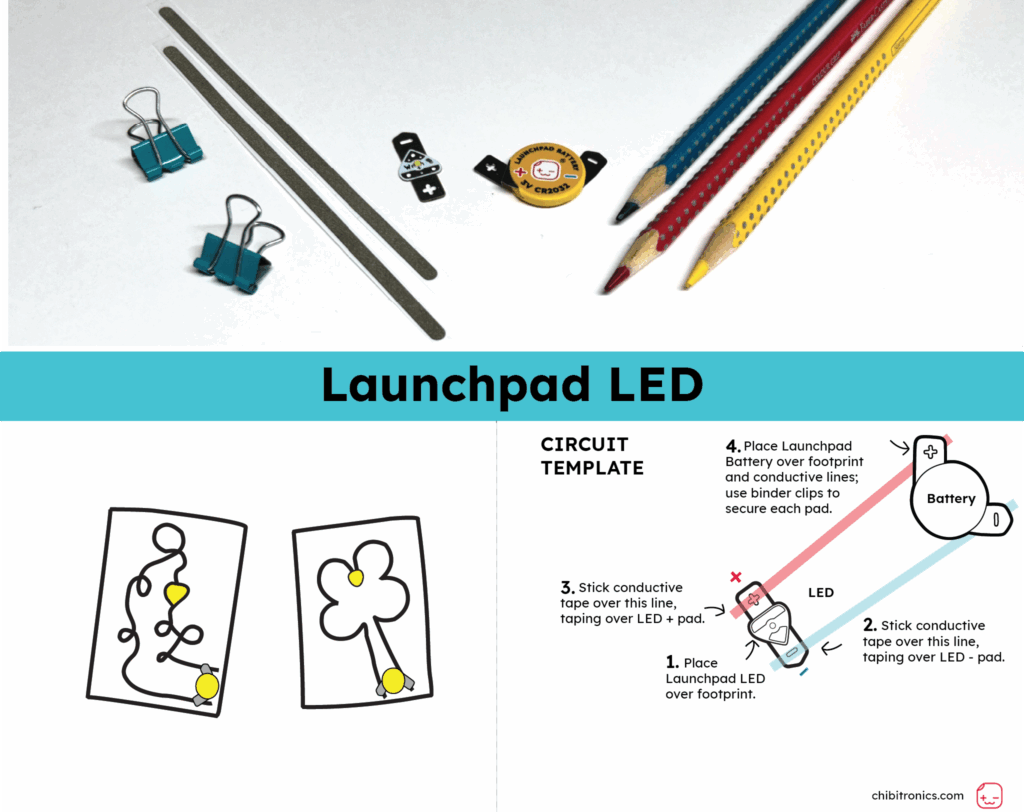
Tip: All of the materials, except for the printable template, are included in the Start with STEAM: Launchpad LED Kit (Level 1)!
- 1 x Launchpad LED
- 1 x 3V Launchpad Battery
- 2 x Micro binder clips (1/2″ wide, 3/8″ capacity)
- 2 x Conductive Fabric Tape Strips or 7.25″ (18 cm) of another conductive tape
- 1 x Launchpad LED Circuit Template (You may print it double-sided with the explanation or only print the template.)
Directions
Step 1
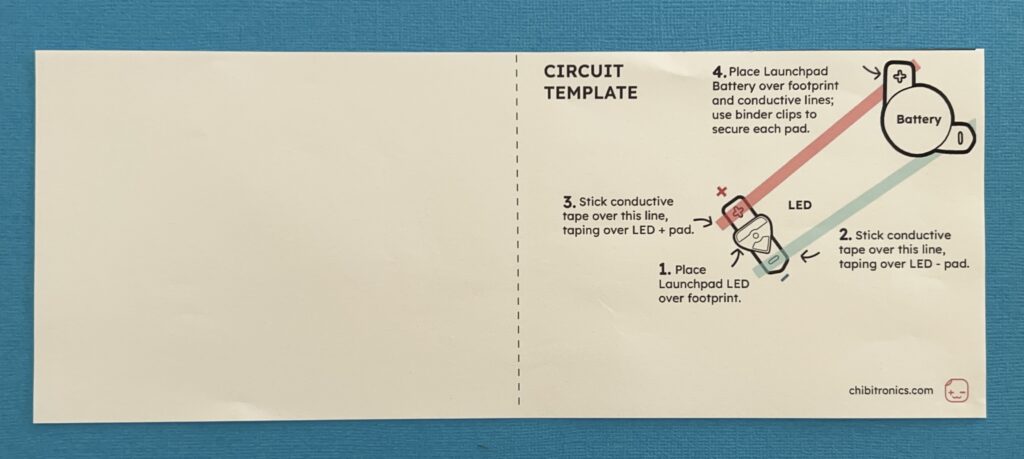
Take one of the pieces of conductive tape and use the tip of your finger to start peeling it away from the paper backing.
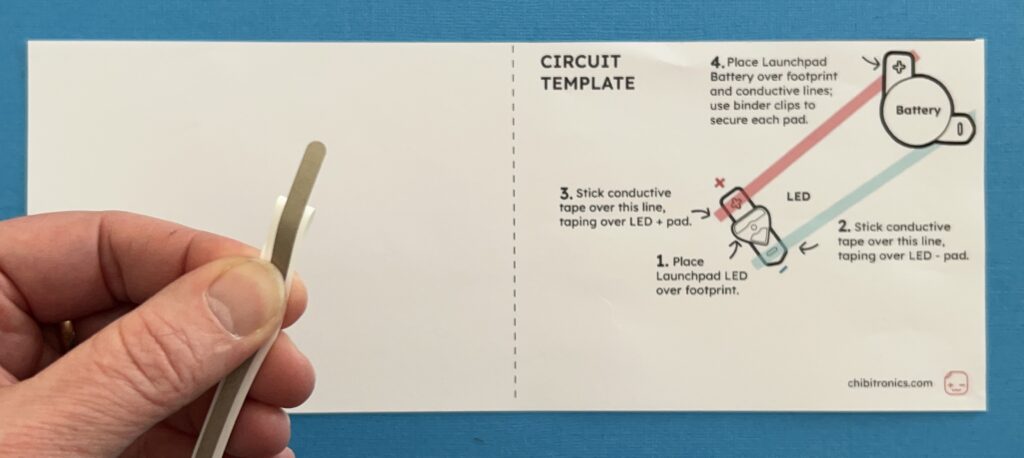
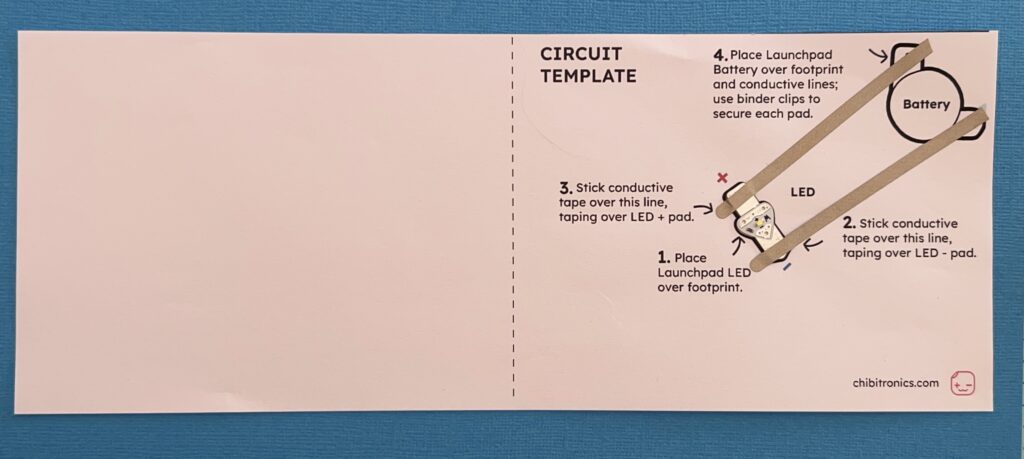
Place a Launchpad LED over the LED footprint on the template.
Step 2
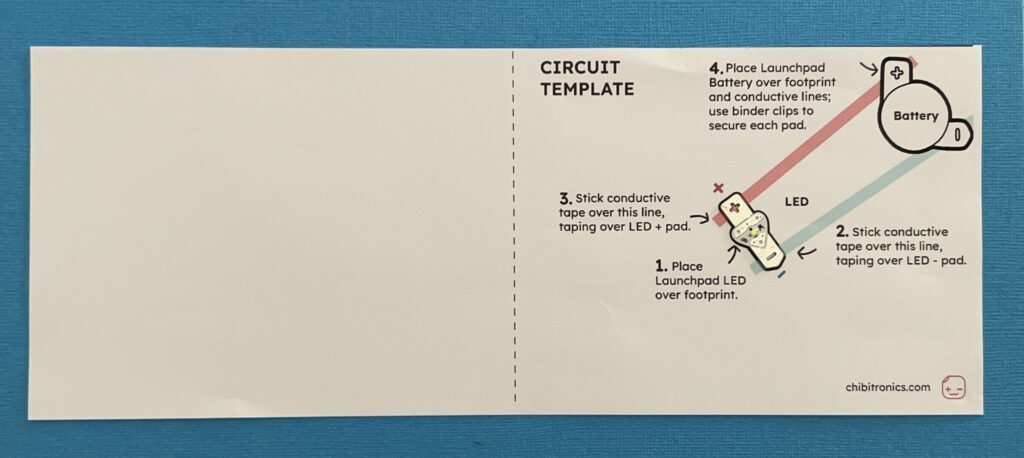
Apply conductive tape over the blue negative (-) LED pad to secure it in place.
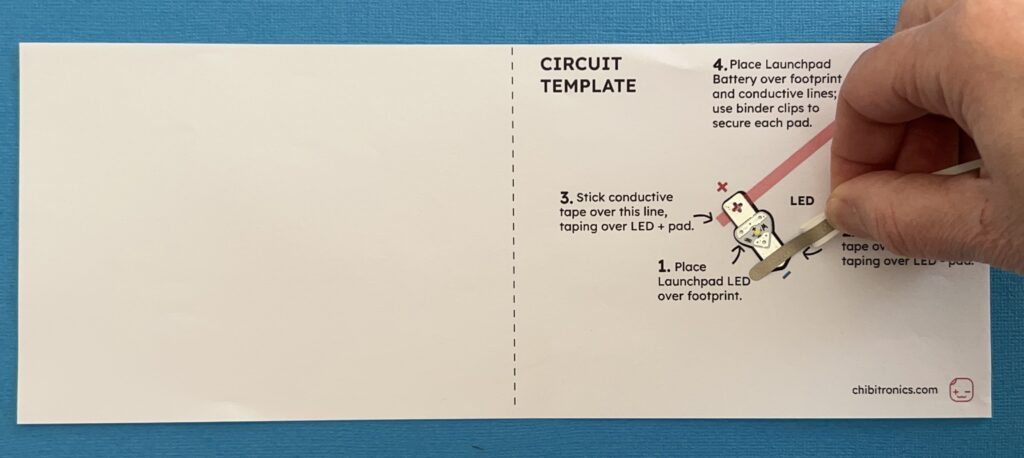
Cover the blue negative (-) line and cut off the excess with scissors.
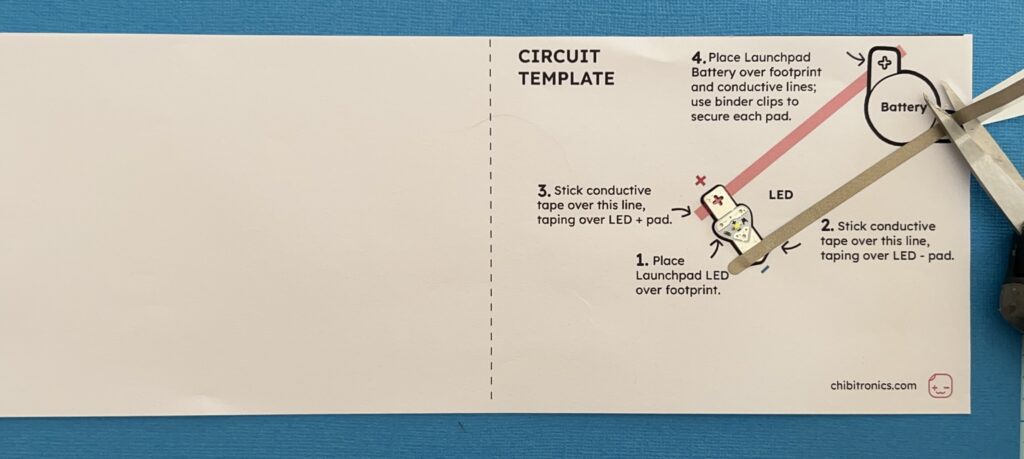
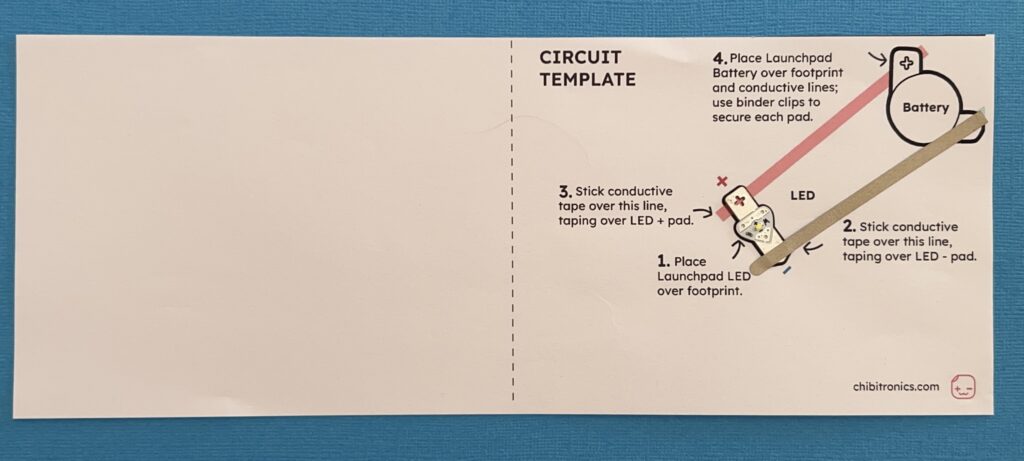
Make sure that the the conductive tape covers the entire line, going over the battery footprint.
Step 3
Take the other piece of conductive tape and apply it over the pink positive (+) line, taping over the LED (+) pad to secure it in place.
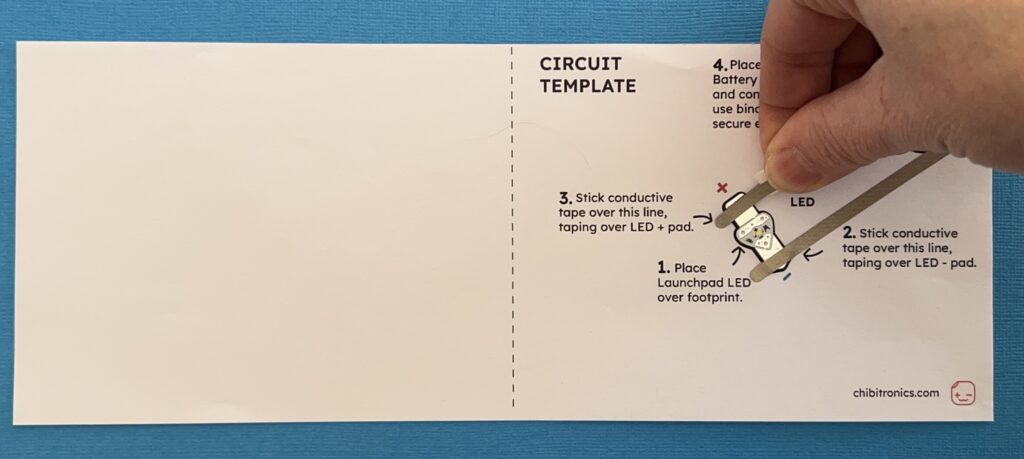
Cover the pink positive (+) line and cut off the excess with scissors.
Make sure to leave a gap between the two strips of conductive tape. They should not touch one another.
Step 4
After applying conductive tape, place your Launchpad Battery on top of the battery footprint (and the two conductive lines).
Use a binder clip to connect the negative (-) pad of the battery to the negative line of conductive tape.
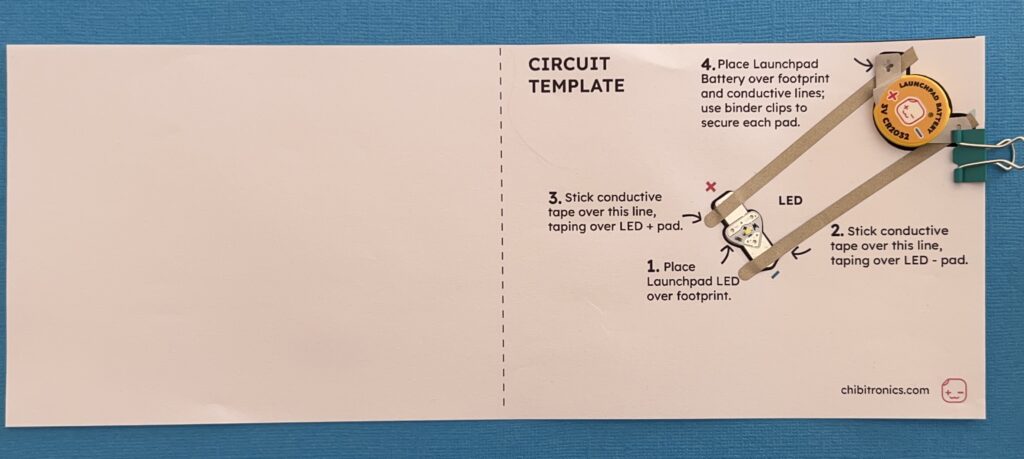
Repeat this step to connect the positive (+) pad of the battery to the positive line of conductive tape.
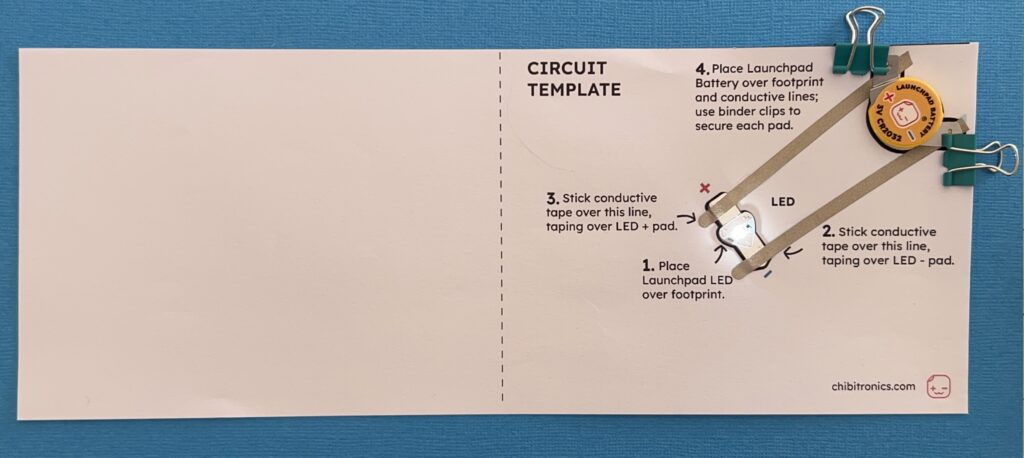
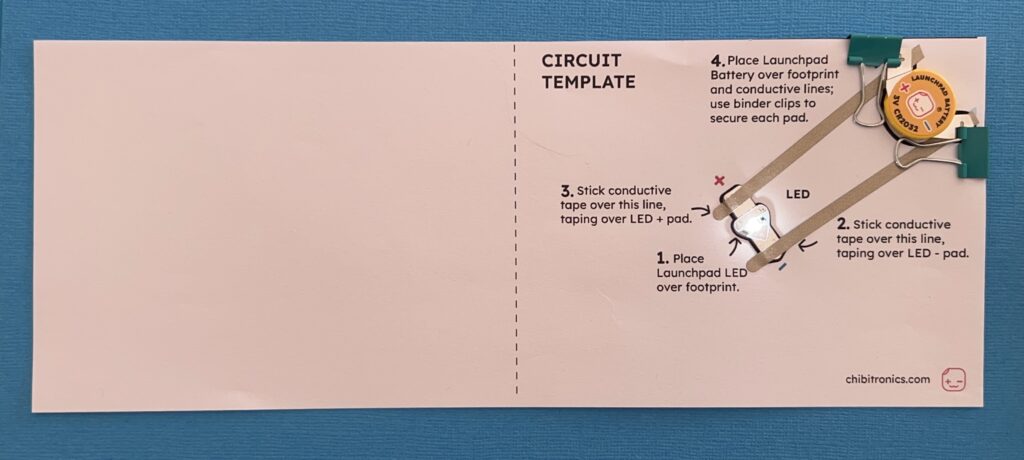
If desired, flip the wings of the binder clip to flatten them.
Step 5
Is your Launchpad LED on? Excellent! If it’s not shining, don’t worry—this is common for first circuits! Try these handy troubleshooting steps:
• Is the battery facing the right way?
Make sure your battery is positioned as depicted on the template.
• Is the LED pointing the right way?
Check that the metal pads of the Launchpad LED are oriented correctly. The positive pad (wide side of the triangle) of the LED should connect with the positive pad of the battery. The negative (narrow end of the triangle) should connect with the negative pad of the battery.
• Are both pads of the Launchpad LED well secured?
Check that both metal pads of the Launchpad LED are secured under the conductive tape for a strong electrical connection.
• Still not working?
If that doesn’t work for you, check out our more detailed Troubleshooting Guide.
Step 6
Fold the left half of your template over to the right so that it covers the circuit and your light shines through the paper.
Now you can decorate the blank page and use your LED to tell a story or illuminate your artwork!
Hooray! What’s next?
Check out the new Launchpad LED Sketchbook to learn more circuit-building ideas and techniques, or Love to Code to program your LED.